

When you’re ready to bring global projects into your classroom, the biggest question is how to design a project that’s structured enough to succeed but flexible enough to fit your teaching reality.
Class2Class project ideas to solve this challenge by giving you complete frameworks for creating a collaborative project. Each template includes learning objectives, timelines, assessment strategies, and free resources—everything you need to launch meaningful projects without building the structure from scratch.
This article shows you exactly what Project Ideas include, how to adapt them for your specific classroom needs, and how to turn a project idea into an active collaboration with partner teachers worldwide.
What Are Global Project Ideas on Class2Class?
Project Ideas are a selected library of ready-to-implement project templates s designed to help teachers at any experience level launch structured, meaningful international projects without starting from scratch.
Instead of designing every element yourself, you get a complete structure that’s been tested and refined by our team to support your classroom needs.
Who Project Ideas Help
Project Ideas work for teachers at any experience level:
New to global collaboration? Project Ideas provide the structure and confidence you need for your first international project. Every element is explained, we give you tips and free resources for you to have everything in one place.
Experienced with connecting classrooms? Project Ideas offer fresh topics you can adapt to your classroom. Use them as inspiration, customize them for your students, or add them to your curriculum planning.
The goal is simple: make global classroom collaboration accessible to every teacher, regardless of experience or available planning time.
What You’ll Find Inside a Project Idea
When you open a Project Idea on Class2Class, you find everything needed to understand, plan, and implement the collaboration. Here you will find:Project Description and Context
Every Project Idea begins with a clear explanation of the collaboration’s goal and learning context.
You see immediately what the project addresses—whether it is exploring cultural traditions, investigating environmental challenges, or developing solutions for community issues. The description helps you quickly determine if the project aligns with your curriculum goals and student interests.
Learning Objectives
Specific, measurable goals that outline exactly what students will achieve through the collaboration. These objectives can align with curriculum standards while emphasizing intercultural competencies.
Skills to Be Developed
A clear list of the competencies students will build throughout the project. This section goes beyond academic content to highlight the transferable skills that emerge from international collaboration. Common skills include: communication, critical thinking, global citizenship, research, teamwork, and collaboration.
Suggested Project Timeline
Each Project Idea includes a suggested duration and phase breakdown. You see how long each activity typically takes and how phases connect—from initial introductions between classrooms, through investigation and creation activities, to final sharing and reflection.
The timeline is flexible. Some teachers complete a project in two weeks, while others extend it a little bit more, depending on their schedule and student needs. The suggestion gives you a starting framework you can adjust for your classroom reality.
Teacher Tips and Facilitation Guidance
Here you’ll find practical advice for managing international collaboration. The section usually includes suggestions for supporting students throughout the research process while encouraging them to take ownership of their work. Many templates also recommend reviewing Class2Class coexistence policies with students before starting the collaboration.
Assessment Ideas
This section provides ready-to-use ways to evaluate student work throughout the project.You’ll find a general criterion for assessing final products—typically including elements like clarity, creativity, relevance, and how well student solutions could work in different contexts.
Ready-to-Use Resources
Every Project Idea links to selected materials you can use immediately and for free. This typically includes icebreaker activities designed specifically for virtual, cross-cultural introductions, helping students build rapport with their international partners. You’ll also find video resources that introduce key concepts or present real stories related to the project topic.
Downloadable PDF Version
Every Project Idea can be downloaded as a PDF for offline review, sharing with colleagues, or future reference. The PDF ensures you have access to the complete framework even when not logged into the platform.
How to Create a Project
Using a Project Idea to launch your global classroom project takes just a few simple steps.
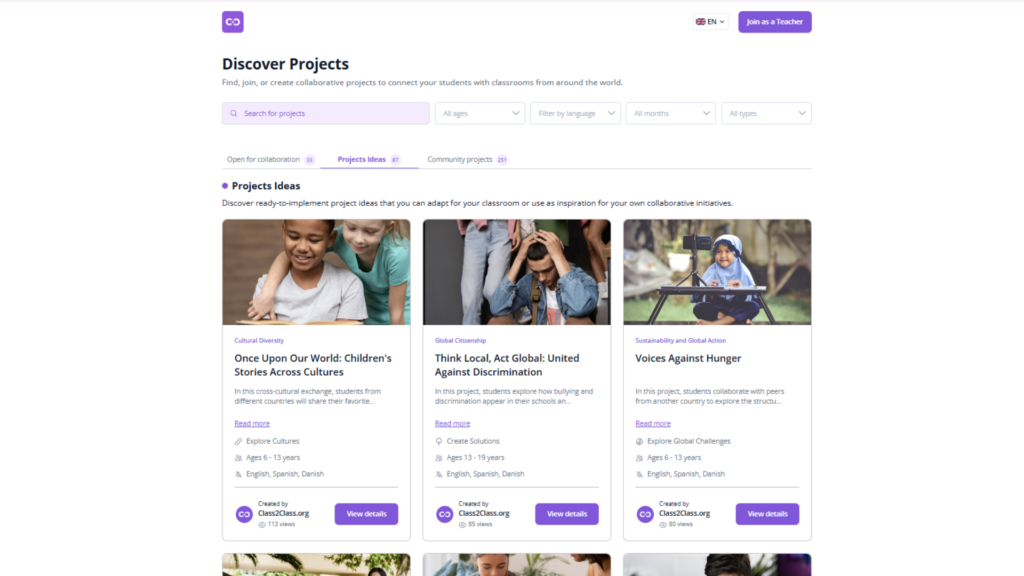
- Explore and Choose a Project Idea That Fits your class
Begin by browsing the Project Ideas library on Class2Class.
Think about what works for your students right now—their age level, interests, curriculum connections, and your available time. Project Ideas cover diverse themes, from cultural exchange to environmental investigation to creative collaboration, so you will find options that align with your teaching goals.
Consider practical factors too. If this is your first global classroom collaboration, you might choose a shorter project with simpler coordination. If you are experienced, you might select a more complex project that pushes both you and your students further.
Do not worry about finding the “perfect” Project Idea. The beauty of these templates is that they are designed to be adapted, which brings us to the next step.
- Create a Project Directly on Class2Class
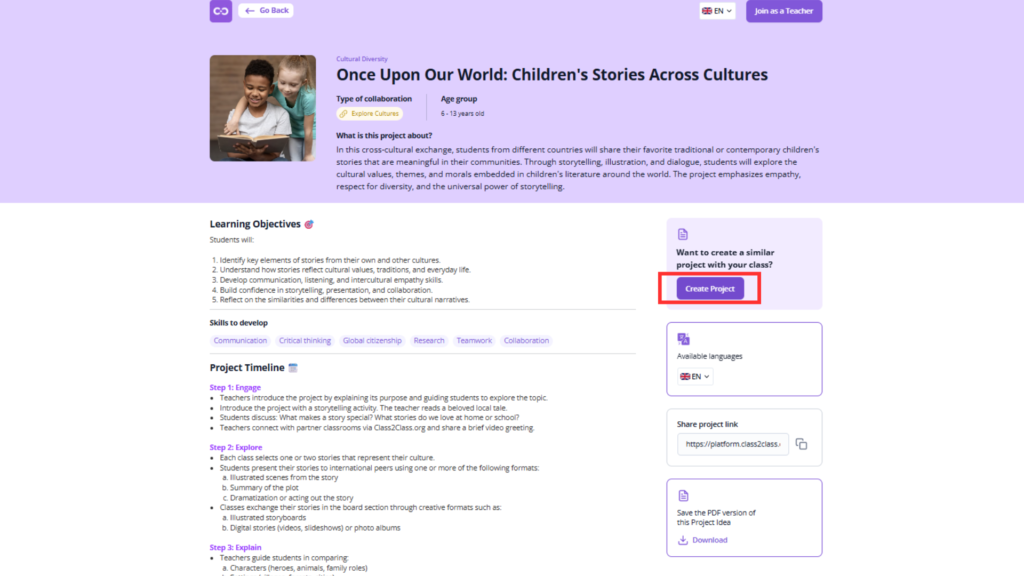
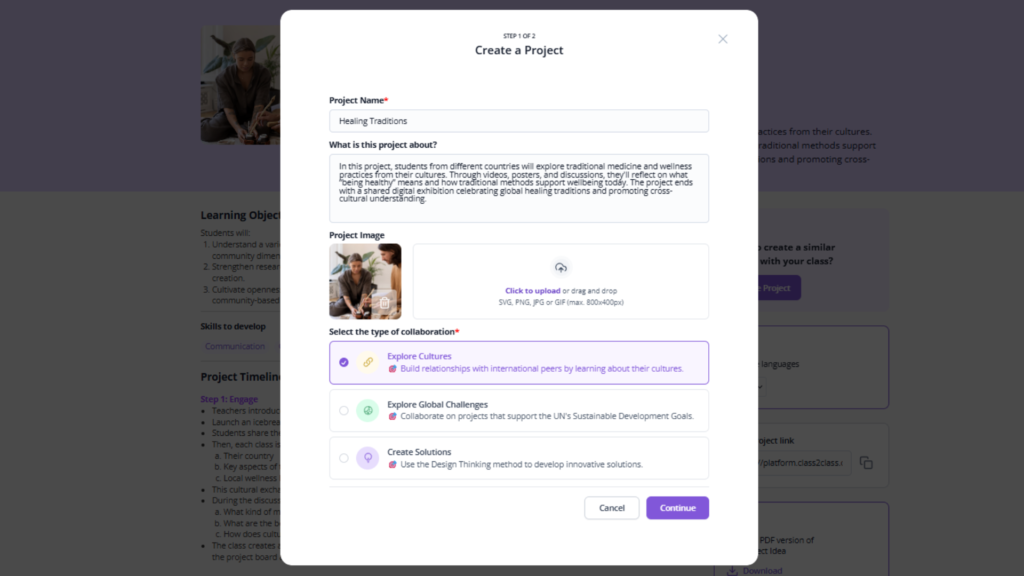
Once you have chosen a Project Idea, you can create your own project based on that template directly through the platform.
The system helps you turn the general framework into your specific project. You provide details about your classroom, specify what you are looking for in a partner teacher, and adjust the timeline or activities to fit your teaching context.
This step transforms the Project Idea from a general template into your unique classroom project. You maintain the core structure that makes the collaboration work while personalizing it for your students.
- Adapt and Customize for Your Context
Here is where teacher creativity matters.
While the Project Idea provides the framework, you know your students best. Adapt activities to match their age and ability level, adjust the project focus to align with curriculum requirements you need to meet, modify the timeline to fit your school calendar, and adjust collaboration methods to match your students’ language comfort and technology access.
For example, if a Project Idea suggests video presentations but your students feel shy about appearing on camera, you might shift to recorded audio presentations with photos instead. The core learning objectives remain—only the method changes to fit your students’ needs.
This flexibility is intentional. Project Ideas are starting points, not rigid prescriptions. The goal is supporting you in creating meaningful global classroom collaboration, not forcing every classroom into identical experiences.
4. Publish Your Project and Invite Partners
When your project is ready, publish it on the Class2Class teacher platform.
This makes your project visible to other teachers looking for classroom collaboration opportunities. Teachers searching for projects that match their goals, timeline, and student characteristics can find yours and request to join.
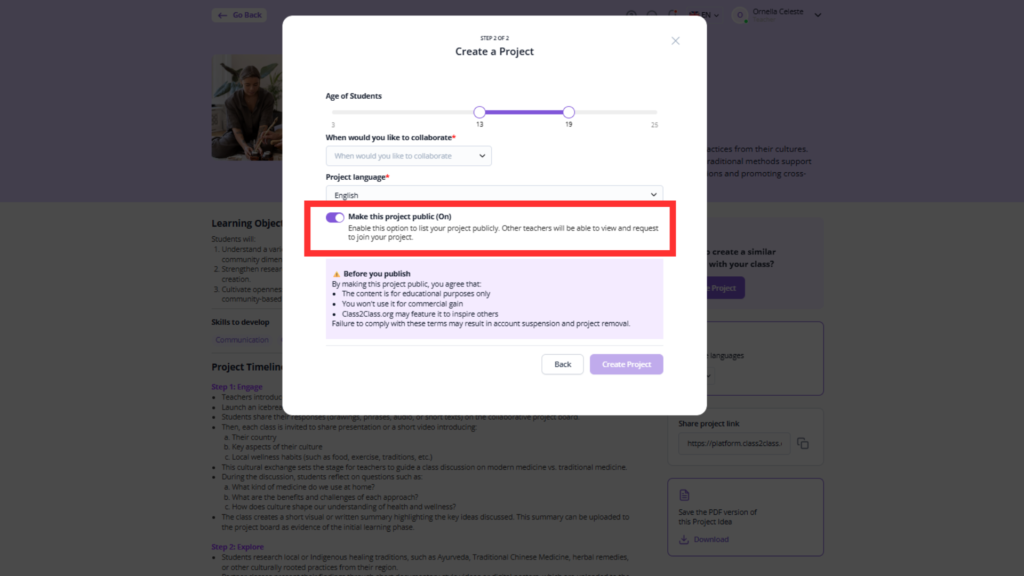
You can also proactively invite specific teachers you have connected with on the platform or teachers you discover through the Connect features. The system supports both approaches—waiting for interested teachers to find you, and actively reaching out to potential collaborators.
Ready to connect your classroom to the world?
Browse the Class2Class Project Ideas library at the Discover Public Page and discover the topic that fit s your teaching goals. Explore and start your first global classroom project on Class2Class today. Your students are ready to become global collaborators—and Project Ideas make it simple to begin!