My Projects: A Clearer View of Your Collaborations
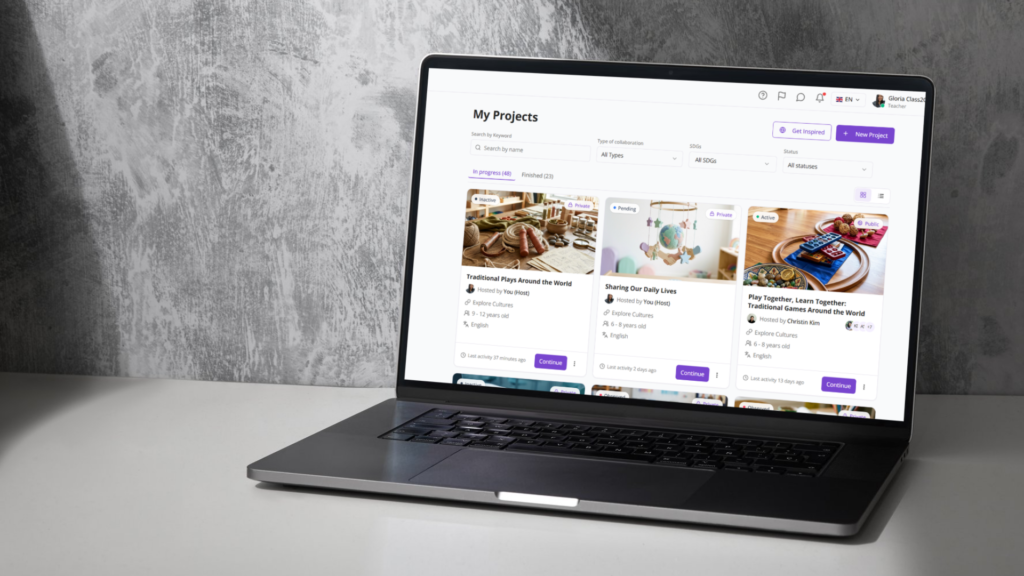
The My Projects section now displays each project as a visual card showing its cover image, title, student age range, and related host. All the key information is visible at a glance, without needing to open each project individually.
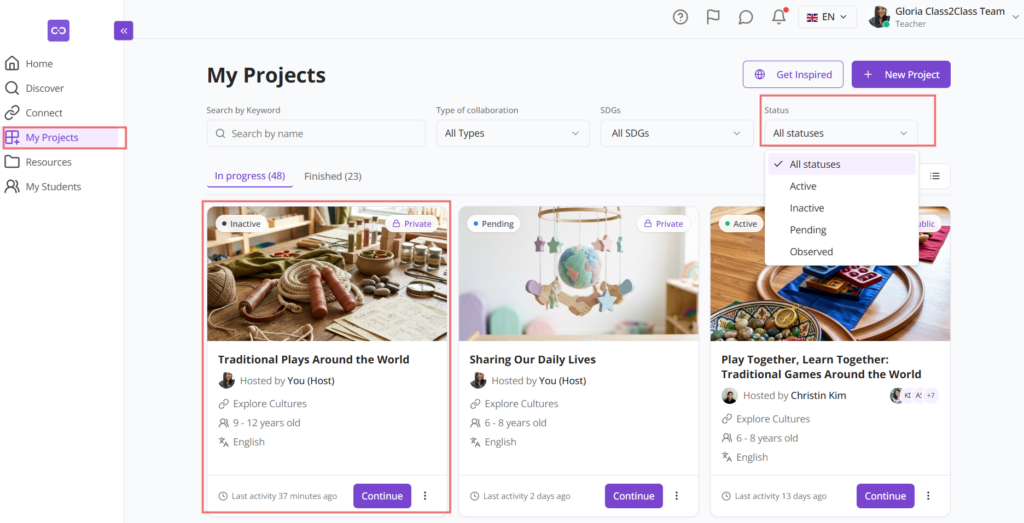
We also added a status filter to help you stay organized across multiple projects. Here is what each status means:
- Inactive: You are in the project, but do not have a partner class yet. You can still document your classroom work on the Board while you wait for a partner to join.
- Active: You have at least one partner class and both sides are collaborating.
- Pending: You have completed the project and submitted it to the Class2Class team for review and approval. This process can take up to 5 business days.
- Observed: The team has reviewed your project and added notes or suggestions. If you are the host, you will find this feedback in the Certificates tab . Once you have reviewed and applied the suggested adjustments, you can resubmit the project and it will return to Pending status.
All approved projects are available in the Finished tab.
Project Overview: Skills and Activities in One Place
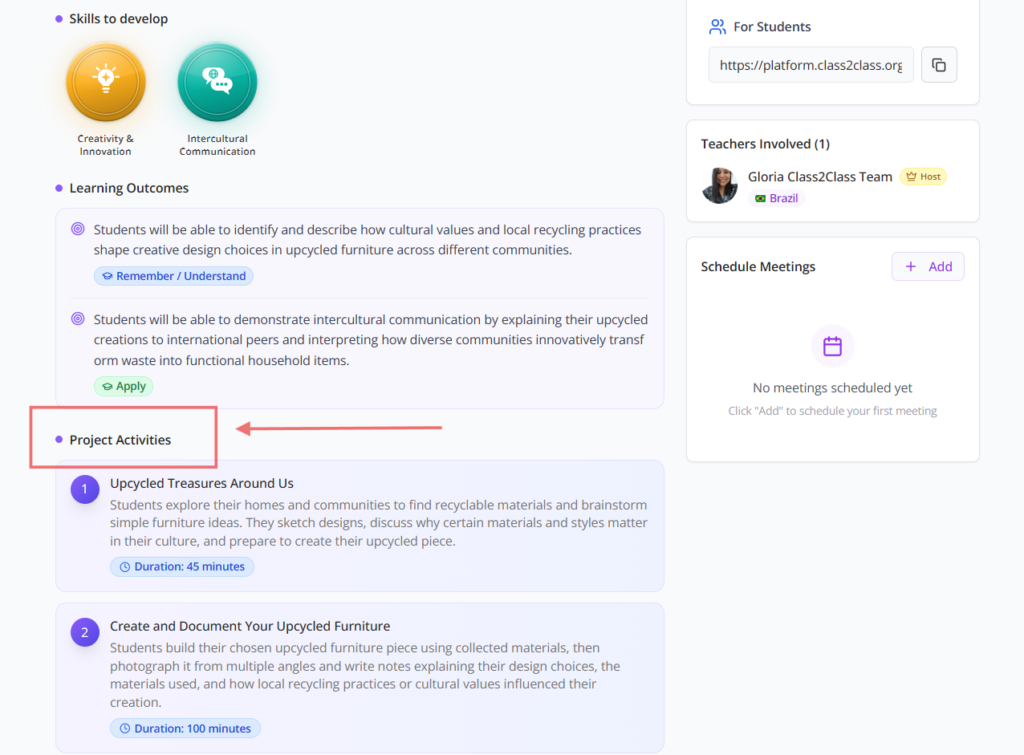
The skills students will develop are now displayed with individual icons for each competency, making it easier to identify the learning objectives of a project at a glance.
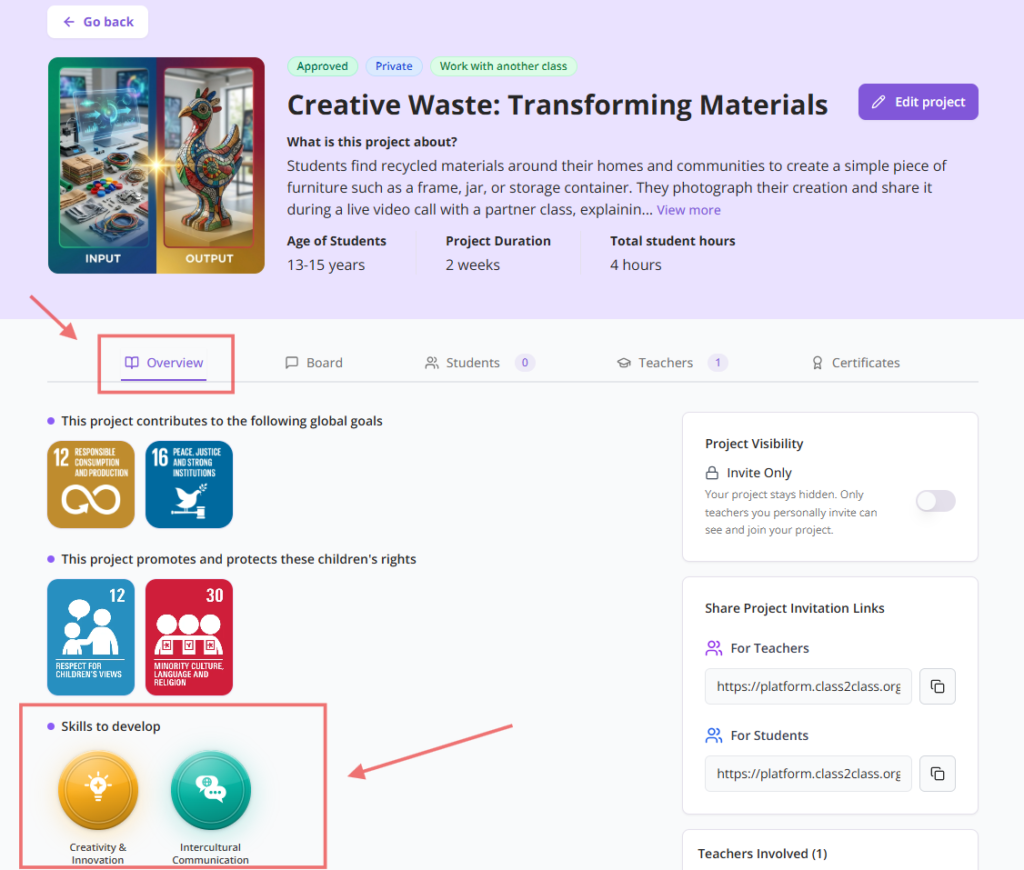
We also moved project activities into the Overview tab. Previously, activities had their own separate tab. Now all the information you need to understand and plan a project, including goals, skills, and activities, is in one place.
The Board: Best Practices and Shared Resources
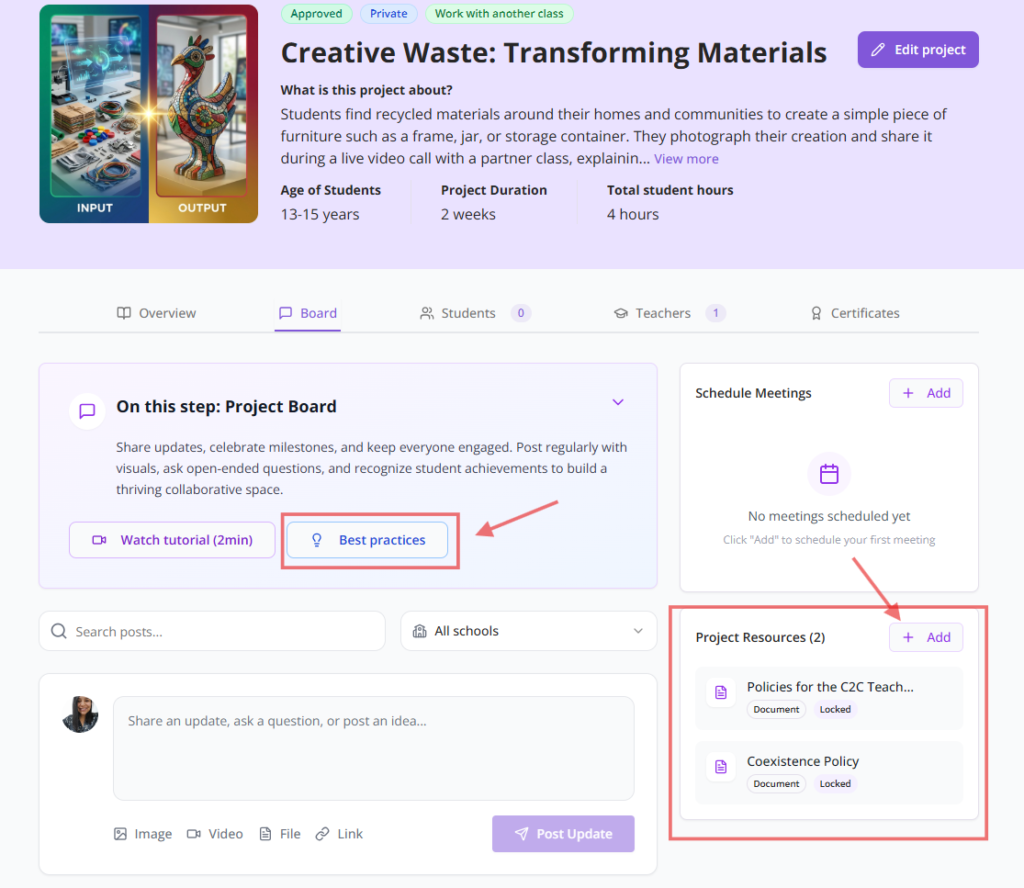
The Board is where collaboration takes place. It is the space where teachers and students post updates, share photos and videos, comment on each other’s work, and follow what partner classes are doing around the world.
To help you use it effectively, we added a Best Practices section with recommendations for getting the most out of this space. Additionally, project hosts can now add shared resources directly to the Board , such as materials, links, or instructions, so all participants can access them at any time.
Project Creation: A Faster, More Tailored Process
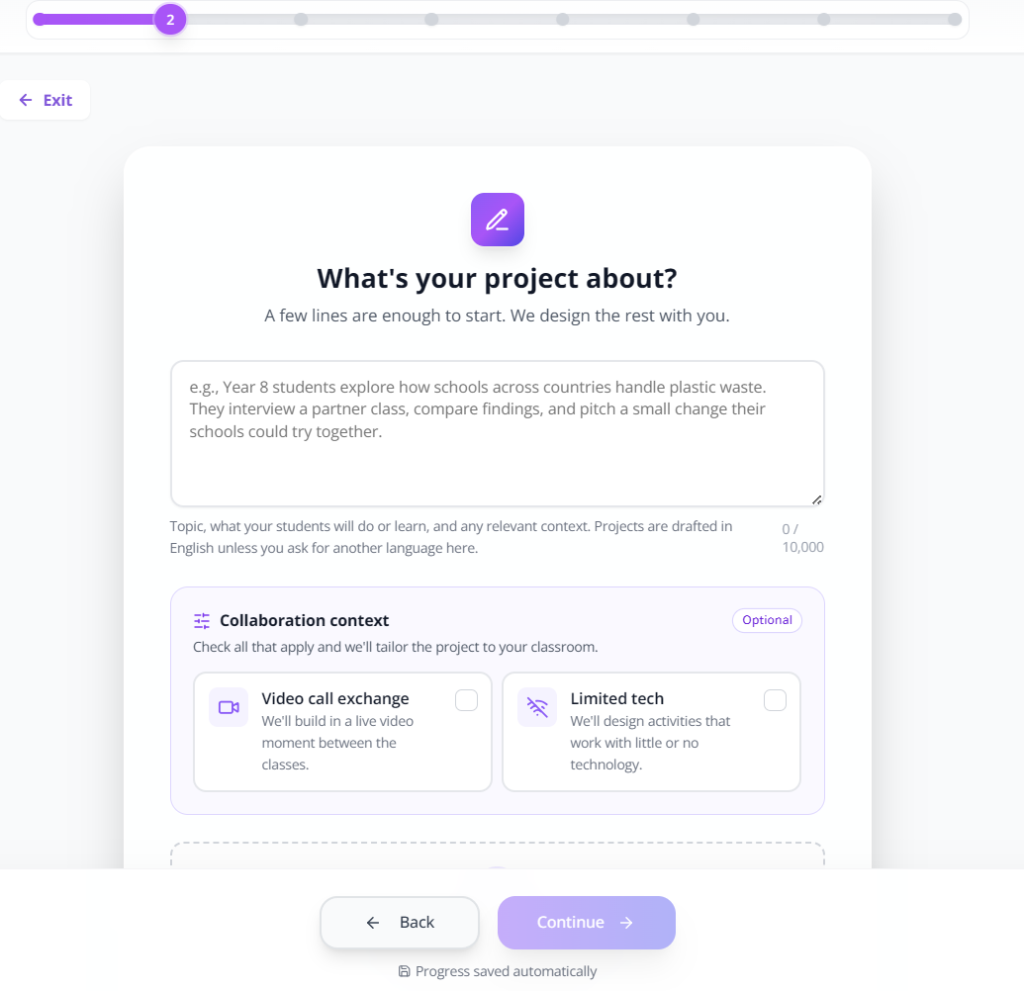
We have simplified the project creation flow so teachers can go from idea to published project more efficiently. The assistant remains part of the process to help structure the project and suggest activities, but teachers retain full control over every decision.
A new step in the flow asks about your collaboration context : whether you plan to have live video calls with your partner class, or whether you are working in a setting with limited technology access. This helps the platform suggest activities that are suited to your specific classroom situation.
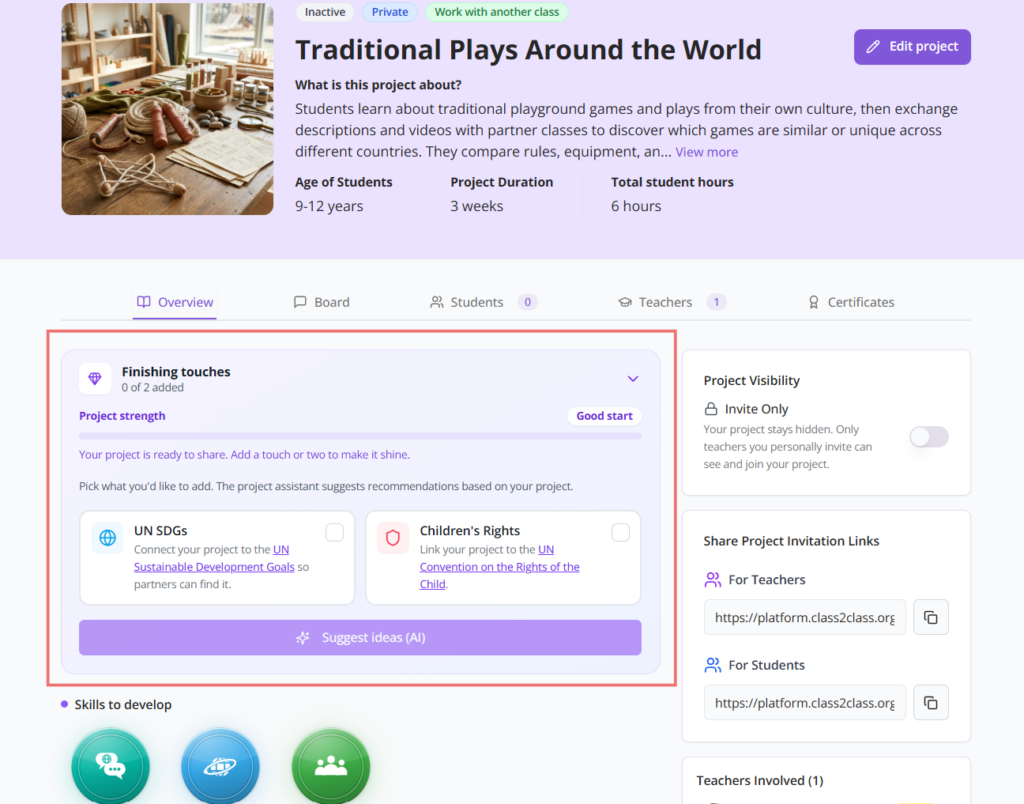
Once your project is set up, you can also connect it to the UN Sustainable Development Goals (SDGs) and the UN Convention on the Rights of the Child directly from the Overview tab. These connections give your project greater visibility to potential partners and reflect the real-world impact of your students’ work.
Verified Certificates: A New Standard for Our Community
Class2Class certificates now include a QR code for verification and authentication. Anyone who receives a certificate can scan it to confirm that it belongs to Class2Class and that it represents a real international collaboration.
Each certificate also displays the number of countries involved in the project, a meaningful detail that reflects the scope of the collaboration your students participated in.
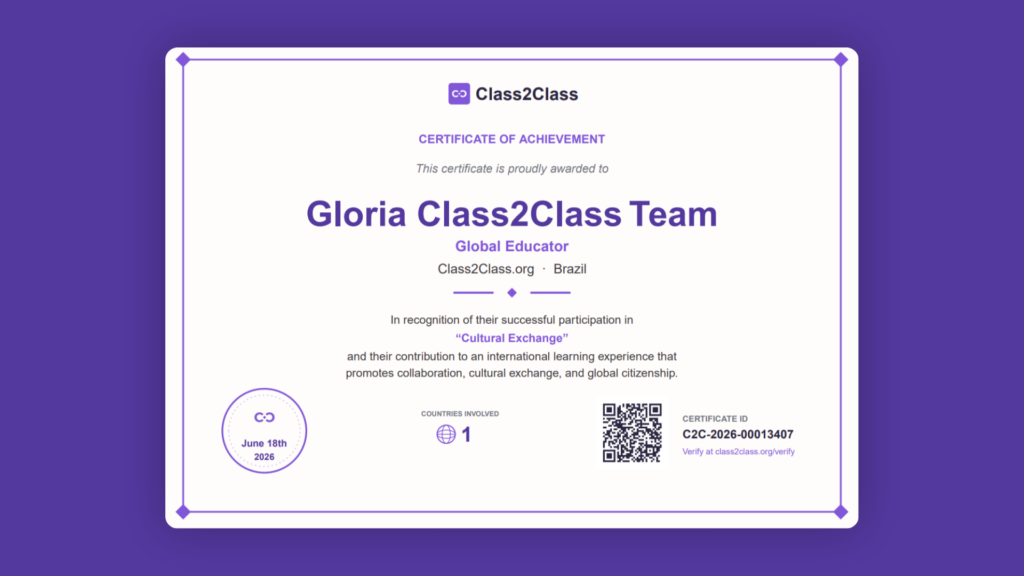
What about previous certificates? They remain completely valid. Those certificates are part of the history of our community and we stand behind every one of them. Going forward, all new certificates will follow this updated model, providing teachers and students with greater ownership, credibility, and security over their credentials.
We are still working on more improvements and we would love to hear from you. If you have feedback or an idea that would make a difference in your classroom, please reach out at support@class2class.org. Your input directly shapes what we build next.
Thank you for being part of this community. We build Class2Class for our community, and that is what keeps us going.